
BABU88 Login: Quick Access Guide for Players in Bangladesh
Whether you want to place a cricket bet, join a live casino table, or claim a welcome bonus, the first step is signing in to your BABU88 account. This guide explains every login method, common problems and fixes, security best practices, and tips specific to Bangladesh users (bKash, Nagad, Rocket). Follow along for clear instructions and links to related pages on BABU88.
Why a Smooth Login Matters
Fast, secure access ensures you won’t miss live bets, promotions, or time-sensitive casino events. A reliable login flow reduces downtime, protects your funds, and helps you manage deposits and withdrawals in Bangladeshi Taka (BDT).
Web Login: Step-by-Step
Follow these steps to sign in using BABU88's website on desktop or mobile browser.
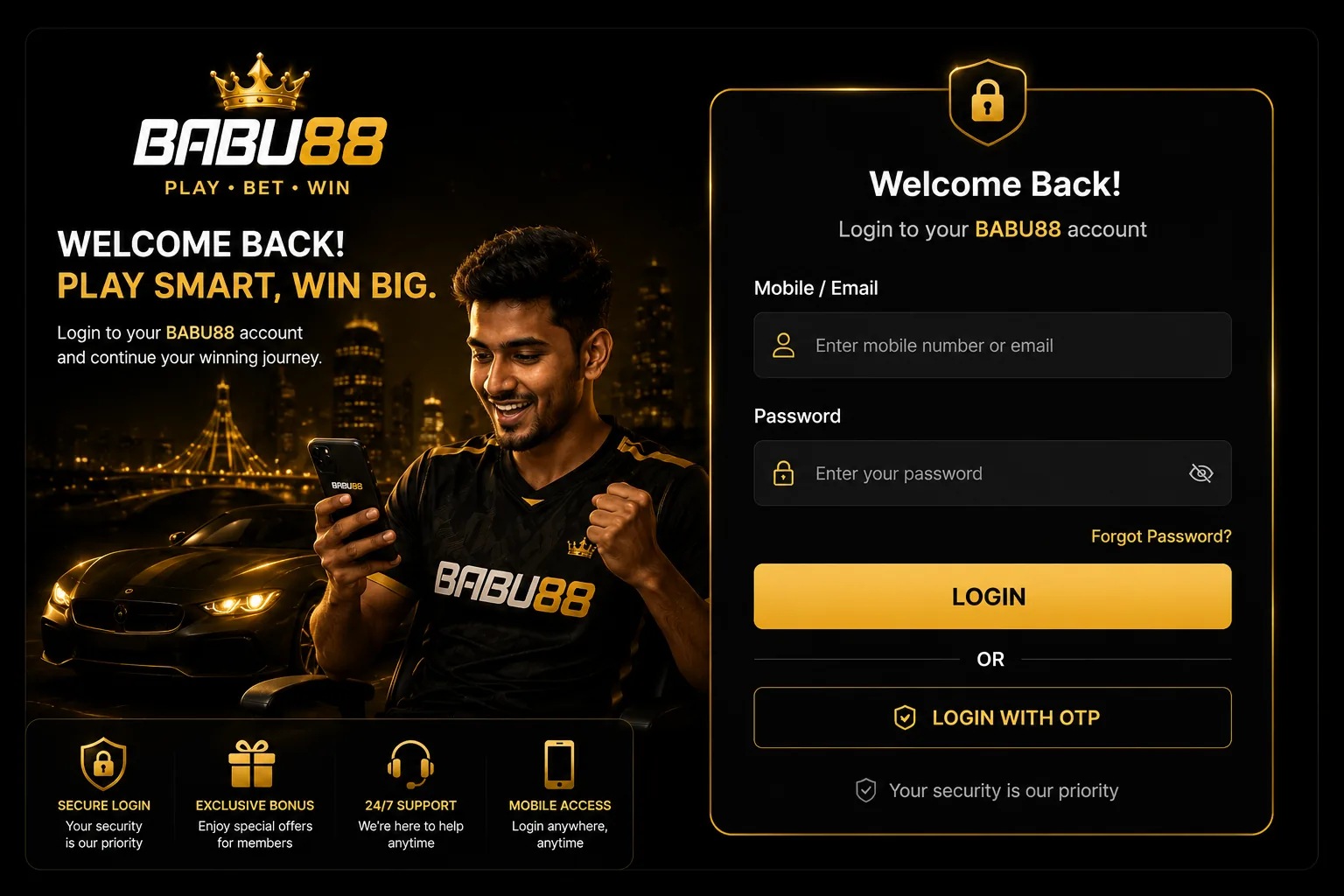
- Open your browser and go to https://babu88games.com.
- Click the Login or Sign In button on the top-right corner.
- Enter your registered username or email and your password.
- If available, complete the CAPTCHA and click Submit.
- Enable two-factor authentication (2FA) if prompted for additional security.
If you're new and need to register first, look for the Sign Up link and follow the on-screen form to verify your account.
Using the BABU88 App (Android & iOS)
The BABU88 App provides a mobile-first experience optimized for live betting and casino play. Use the app for faster logins and push notifications about live cricket markets and promotions.

Download & Install
- Android: Download the APK from the official site under the BABU88 App section and follow installation prompts. Enable installation from unknown sources if required.
- iOS: Follow the App instructions on the site for the correct installation steps or App Store link when available.
Login via App
- Open the app and tap Login.
- Provide your username/email and password.
- Allow notifications and biometric login if you want faster access in future.
Two-Factor Authentication & Biometric Login
2FA and biometric login add layers of protection. If you enable them, you will need either an authenticator app code or your device fingerprint/Face ID to sign in.
- Set up 2FA from your account settings after your first login.
- Keep backup codes in a secure place in case you lose your phone.
Security & Account Recovery
Account security is essential when money is involved. BABU88 supports password recovery and identity verification to restore access safely.
Forgot Password
- Click the "Forgot Password" link on the login page.
- Enter your registered email or phone number and submit the request.
- Follow the reset link or code sent to your contact method to create a new password.
Lost Access to 2FA
If you lose access to your authenticator app, contact customer support. Be prepared to provide ID and account details to prove ownership.

Common Login Errors & Fixes
Here are typical issues and how to resolve them quickly.
- Incorrect credentials: Double-check caps lock and keyboard language. Reset your password if needed.
- Account blocked or suspended: Review account email for reasons or contact support to resolve verification matters.
- Browser or app issues: Clear cache, update the app or browser, or try a different supported browser.
- Connection or regional blocks: Use a stable internet connection. If you face geo-restrictions, contact support for guidance (do not use unauthorized VPNs unless allowed).
Deposits, Withdrawals & Login-related Payments
Some users experience delays in withdrawal history or deposit credits until they finish identity checks. Logging in and completing KYC quickly removes hold-ups.

- Preferred local methods: bKash, Nagad, Rocket — ensure the account name matches your BABU88 account.
- Review payment limits and processing times in the Payment Methods section before initiating transactions.
Account Management After Login
Once logged in, you can update profile information, set deposit limits, claim bonuses, and check betting history.
- Visit your profile to update contact details and document uploads for verification.
- Explore promotions and the Welcome Bonus details if you are eligible.
- Access the Casino Games and sportsbook menus to browse available markets and live tables.
Tips & Best Practices for Bangladesh Players
Small precautions reduce login friction and protect your funds.
- Register using an email and phone number you control.
- Keep payment account names consistent with your BABU88 profile.
- Enable 2FA and use a strong unique password.
- Use the official BABU88 App or the official website only; avoid third-party mirrors.
Conclusion
Logging into BABU88 should be quick and secure when you follow the right steps. Use the web login or install the official app for faster access, enable 2FA for protection, and complete verification early to avoid delays with deposits and withdrawals. If problems persist, contact BABU88 support with account details so they can assist.
Frequently Asked Questions
Can I use bKash or Nagad to deposit immediately after login?
Yes. Once logged in, you can choose bKash, Nagad or Rocket (where supported) from the Payment Methods menu. Ensure the payment account name matches your registered BABU88 name to prevent holds.
What do I do if I forget my BABU88 password?
Use the "Forgot Password" link on the login page. You will receive a reset link or code by your registered email or phone. Follow the instructions to create a new password.
Is the BABU88 App safe to install on Android?
Install the official APK from the BABU88 App page. Verify file authenticity and only enable app permissions required for operation. Keep your device OS updated.
Why am I asked for verification after logging in?
Verification (KYC) is required to comply with security and withdrawal policies. Providing ID documents and proof of address helps unlock full account functionality and higher withdrawal limits.
How can I enable biometric login?
After signing in on the app, go to Account Settings and enable biometric login (fingerprint/Face ID) if your device supports it. This speeds up future sign-ins.
What if my account is locked due to suspicious activity?
Contact customer support immediately and provide the requested identity documents. Do not share passwords or codes. Support will review and advise on steps to recover access safely.